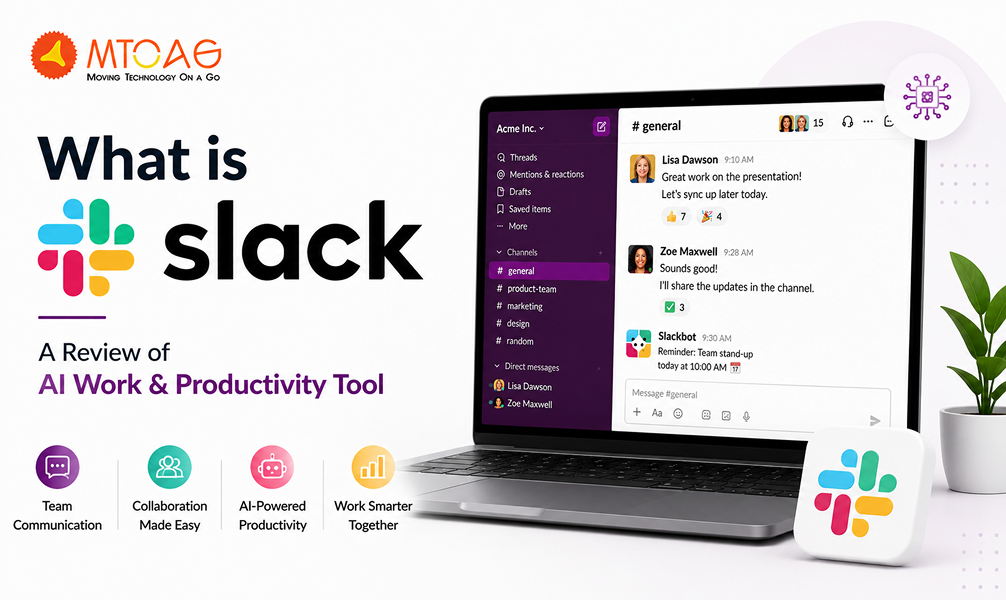
Modern workplace communication requires specialized tools like Slack AI to remain organized. Gone are the days of long email chains, explicit use of messaging apps, video meetings, project trackers and internal dashboards. This shift explains why conversations about "What is Slack?" continue to grow across startups, agencies, enterprises, and hybrid workplaces.
Slack positions itself as more than a simple messaging application. The platform combines channels, searchable communication history, workflow automation, integrations, AI-powered summaries, huddles, and productivity-focused collaboration tools inside a single workspace.
But is it worth it for your business? This Slack review examines what this so-called AI productivity tool actually does in practical work environments, how teams use it daily, where it adds value, and where the platform still struggles despite widespread adoption.
What is Slack?
Slack is a team communication and collaboration platform designed to centralize conversations, files, notifications, integrations, and workflow coordination inside a shared digital workspace.
Slack gained popularity because traditional workplace communication often created delays and confusion. Email worked well for formal communication, but fast-moving teams needed quicker collaboration methods. Slack introduced organized communication through channels, direct messaging, searchable conversation history, and integrations with workplace software already used inside organizations.
The platform fits naturally into a remote and hybrid work culture because it reduces dependency on physical office interaction. The teams communicate through dedicated spaces organized around departments, projects, clients, operations, or workflows.
Organizations typically use Slack throughout the workday for project coordination, approvals, internal announcements, customer support escalation, engineering collaboration, HR communication, marketing updates, mobile app development, and operational discussions. The platform also expanded beyond messaging over time. Workflow automation, AI summaries, app integrations, voice huddles, and searchable knowledge management transformed Slack from a basic chat application into a broader workplace productivity environment.
How to Use Slack?
Slack starts with a workspace setup. Organizations create a central workspace and invite employees through email access. Inside the workspace, teams can build channels around departments, projects, functions, or topics. Public channels allow open visibility across teams, while private channels restrict access for sensitive communication.
Marketing teams may maintain separate channels for campaigns, approvals, analytics, and announcements. Engineering teams often organize channels around products, deployments, bugs, and integrations. This structure reduces communication overlap compared to large email groups.
Threads improve readability by attaching replies directly beneath a specific message. Instead of flooding entire channels with unrelated responses, threads preserve context and reduce visual noise. Many organizations use direct messaging for quick coordination, though excessive private messaging sometimes weakens knowledge visibility across teams.
Core Features of Slack
The main features that make Slack stand out include:
Channels, Threads, and Direct Messaging
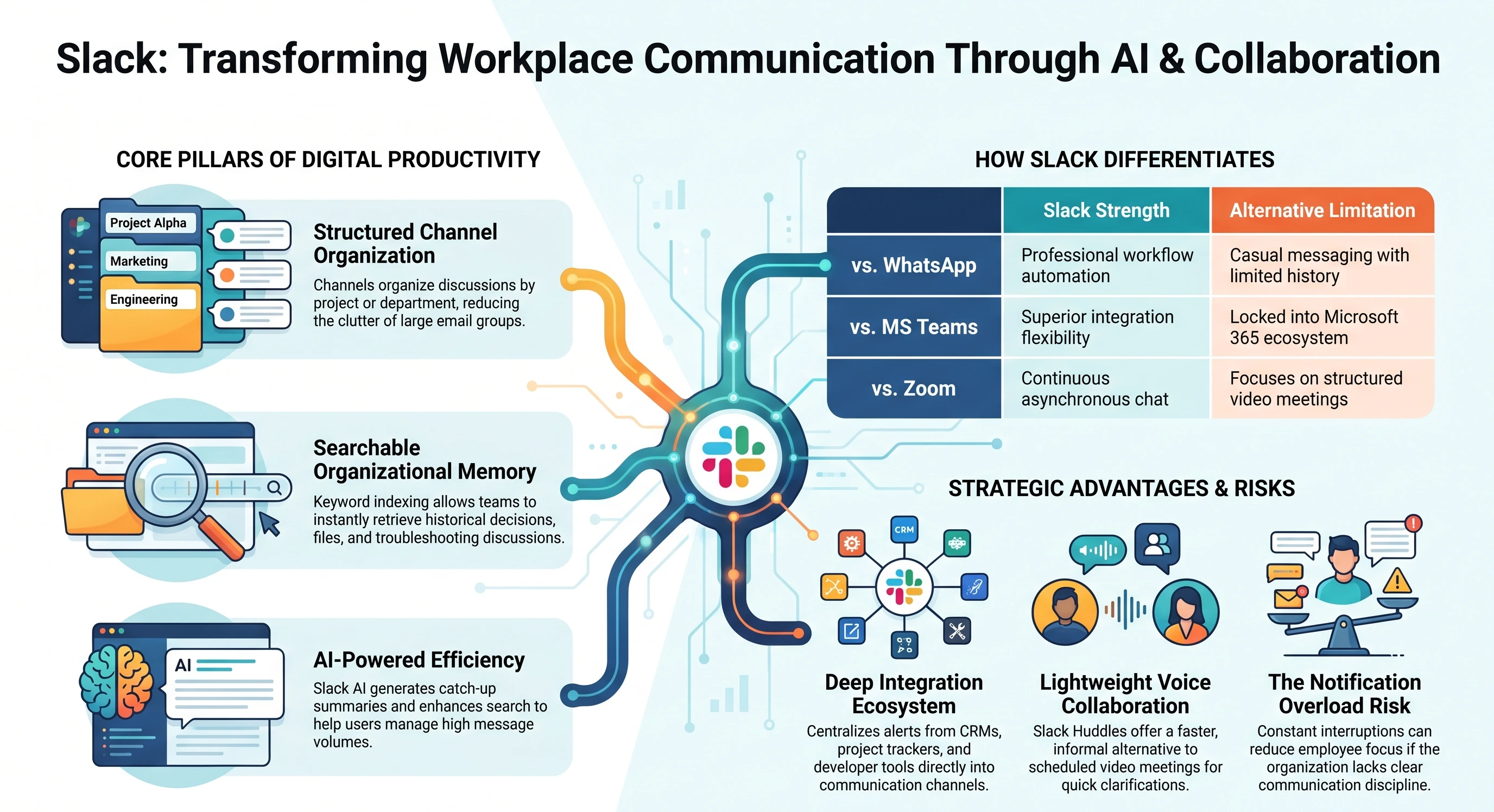
Slack channels create structure inside busy workplace communication environments by separating discussions into focused spaces. Teams avoid large, unreadable conversation streams because channels organize communication around projects, departments, workflows, or operational topics.
Meanwhile, threads improve readability further by containing replies within specific discussions instead of flooding entire channels with disconnected responses.
Direct messaging supports fast coordination between individuals or smaller groups when public discussion becomes unnecessary.
File Sharing and Searchable Message History
Slack handles file sharing efficiently across daily operational workflows. Employees upload presentations, contracts, screenshots, reports, spreadsheets, PDFs, and videos directly into conversations without constantly switching between multiple platforms.
Search functionality then indexes both messages and shared files, which significantly improves organizational memory. Teams often recover old discussions, decisions, and documentation quickly through keyword-based search. This searchable history becomes especially valuable during onboarding, troubleshooting, project handovers, or cross-department collaboration.
Voice Huddles and Video Calls
Slack huddles introduced a faster alternative to scheduled meetings by encouraging lightweight voice collaboration during active work sessions. Teams use huddles for quick clarifications, brainstorming, troubleshooting, and informal coordination without opening separate meeting software repeatedly.
Video calls extend collaboration further through screen sharing and face-to-face interaction directly inside Slack channels or messages. The system works well for smaller discussions and operational coordination.
Workflow Automation and App Integrations
Slack’s ecosystem strength comes largely from its integration capabilities and workflow automation features. Organizations connect project management systems, customer support platforms, development tools, calendars, CRM software, cloud storage, and monitoring systems directly into communication channels.
Automated notifications reduce manual status reporting while improving visibility across departments. Teams often build approval workflows, onboarding checklists, support escalations, deployment alerts, and recurring reminders without extensive technical development.
Slack AI Pricing Review
Slack offers a free plan alongside multiple paid tiers designed for growing businesses and enterprises. The free version supports smaller teams reasonably well, especially during early-stage adoption. Basic messaging, channels, integrations, and collaboration features are free without a subscription.
The pricing plans bring advanced features, such as requiring message history retention, advanced integrations, stronger administration controls, security features, or Slack AI functionality. Slack AI currently sits behind higher-tier plans, which increases overall platform cost considerably for mid-sized and enterprise teams.
For startups and smaller businesses, Slack AI pricing may feel difficult to justify initially because many productivity benefits still depend on communication habits rather than AI automation alone. Teams with lower message volume may not experience dramatic productivity improvements from AI summaries and search enhancements.
Larger organizations handling thousands of daily messages gain more visible value. AI catch-up summaries reduce communication overload, while searchable organizational knowledge improves operational efficiency across departments.
Pros of Slack
Here is the list of advantages of using Slack:
Fast Team Communication
Slack accelerates workplace communication significantly compared to traditional email systems. The teams can exchange updates quickly, resolve operational questions faster, and maintain ongoing collaboration without waiting hours for formal responses.
Real-time messaging supports agile workflows effectively, especially inside remote and hybrid environments. Channels also reduce unnecessary communication overlap by directing discussions into relevant spaces.
Strong Integrations Ecosystem
Slack connects effectively with a wide range of workplace software, which strengthens operational visibility across departments. Integrations with project management tools, cloud storage systems, developer platforms, CRMs, analytics dashboards, and support software centralize notifications and workflow updates inside communication channels. Teams spend less time switching between applications repeatedly.
Excellent Search Functionality
Search remains one of Slack’s strongest long-term productivity advantages. Employees retrieve historical conversations, files, approvals, troubleshooting discussions, and operational decisions quickly through indexed search functionality.
This searchable communication history reduces repeated questions and improves organizational memory over time. Teams handling complex projects often benefit heavily from searchable context during onboarding, audits, support escalation, and project transitions.
Cons of Slack
Here are some of the disadvantages of Slack:
Notification Overload
Slack often creates constant interruptions when organizations fail to manage communication discipline properly. Large channel volumes, automated integrations, mentions, reactions, and active discussions generate persistent notifications throughout the workday. Employees frequently experience reduced focus because communication never fully stops inside active workspaces.
Information Fragmentation
Slack undoubtedly improves communication speed, but fragmented discussions remain a common operational problem. Important decisions often spread across channels, private messages, threads, and huddles instead of remaining centralized. Employees sometimes miss critical updates because information appears in multiple disconnected locations.
Search Clutter in Large Organizations
Slack search performs well initially, but very large organizations eventually experience search clutter caused by years of accumulated conversations, duplicate discussions, and inconsistent channel organization. Employees may retrieve too many loosely related results when communication hygiene declines over time. Poor channel naming structures and excessive private conversations reduce long-term discoverability further.
Slack vs Other Communication Tools
The comparison between competing communication tools depends heavily on workplace needs rather than brand popularity alone.
Slack vs WhatsApp reflects the difference between workplace collaboration and casual messaging. WhatsApp handles quick communication effectively, especially for smaller businesses and informal coordination. Slack performs better when organizations require searchable communication history, structured channels, integrations, workflow automation, and departmental organization. WhatsApp remains simpler, while Slack supports operational scalability more effectively.
Microsoft Teams competes closely with Slack inside enterprise environments. Teams integrates deeply with the Microsoft ecosystem, including Outlook, Excel, Word, SharePoint, and Microsoft 365 administration systems. Organizations already invested heavily in Microsoft infrastructure often prefer Teams for operational consistency. Slack generally provides a cleaner messaging experience, stronger channel usability, and broader integration flexibility across mixed software ecosystems.
Zoom dominates structured video conferencing and large meetings more effectively than Slack. Webinar management, participant controls, meeting scheduling, and presentation functionality remain stronger inside Zoom. Slack performs better for ongoing workplace communication and lightweight collaboration between meetings rather than replacing dedicated conferencing platforms entirely.
Discord shares similarities with Slack through channels, voice communication, and community organization. Technical communities, gaming groups, and informal collaboration environments often prefer Discord because of its flexibility and lower operational formality. Slack provides stronger workplace administration, compliance controls, integrations, enterprise security, and structured organizational workflows.
No communication platform solves every operational challenge equally well. Slack performs strongest when organizations prioritize structured communication, integrations, asynchronous collaboration, and searchable organizational visibility.
Is Slack Worth Using?
Slack works exceptionally well for startups, remote teams, agencies, product teams, customer support operations, and technical organizations handling fast-moving communication across distributed environments. Teams benefit most when workflows require continuous coordination, searchable discussions, integration visibility, and flexible asynchronous collaboration.
Remote and hybrid organizations often experience noticeable productivity improvements because Slack reduces dependency on lengthy meetings and fragmented email communication. Technical teams also benefit heavily from integration capabilities tied to development, monitoring, deployment, and ticketing systems.
Agencies frequently use Slack because channels organize internal production discussions separately from client coordination workflows. Enterprises gain value through centralized communication visibility, though scaling communication discipline becomes increasingly important as channel volume expands.
Slack genuinely improves workplace communication when organizations establish clear communication standards, maintain structured workflows, and use integrations thoughtfully instead of turning every conversation into a constant real-time interruption.
Conclusion
Slack succeeds because it organizes workplace conversations more effectively than traditional email-heavy systems while supporting remote collaboration, integrations, searchable knowledge sharing, and operational coordination across distributed teams.
The platform performs especially well in fast-moving environments where visibility, responsiveness, and asynchronous collaboration matter daily. Slack AI also adds practical value through summaries, search improvements, and communication catch-up features, although the current AI capabilities focus more on reducing information overload than transforming workplace execution entirely.
At the same time, Slack creates challenges when organizations lack communication discipline. Notification overload, fragmented discussions, rising pricing, and integration clutter remain common operational concerns.
Slack works best as a structured communication layer connected to broader productivity systems rather than a complete workplace management solution. Organizations that combine disciplined communication habits with thoughtful Slack usage usually gain the strongest long-term productivity improvements.
FAQs
What is Slack and What is It Used For?
Slack is a workplace communication and collaboration platform used for messaging, file sharing, team coordination, integrations, workflow automation, and remote collaboration. Organizations use Slack to centralize communication across departments, projects, and operational workflows.
How is Slack Different from WhatsApp?
Slack focuses on structured workplace collaboration through channels, searchable communication history, integrations, and workflow organization. WhatsApp mainly supports casual messaging and simpler group communication without deeper workplace productivity features.
Is Slack the Same as Zoom?
Slack and Zoom serve different purposes. Slack focuses on ongoing workplace communication and collaboration, while Zoom specializes in structured video meetings, webinars, and conferencing.
Is Slack a CRM Tool?
Slack is not a CRM tool. It functions as a communication and collaboration platform. Organizations often integrate Slack with CRM systems like Salesforce or HubSpot for workflow visibility and customer communication updates.
Is Slack Free or Paid?
Slack offers both free and paid plans. The free version supports basic communication features, while paid plans include expanded message history, advanced administration, enterprise security, integrations, and AI functionality.