2500+
Successful Projects

Computer vision is an emerging artificial intelligence (AI) technology that helps machines to see and make sense of images or videos, just like we humans do. Sounds fantastic? Well! It has to be. What once sounded like something only tech experts could understand is now being used in everyday things. But many of us are still unaware of it. For example, unlocking phones with face scan or checking items without needing a cashier is all because of the computer vision technology.
With each passing year, technology is gaining a stronger hold and adding accessibility to computer vision development, thanks to better tools and open-source libraries. Many businesses and developers are using it to solve real problems, like spotting defects in products, reading signs on the road, or helping doctors look at medical scans more clearly.
Table of Contents
This blog breaks down how computer vision development works, the tools involved, and where it is being used today. The guide will help you understand the whole process of computer vision development, even for someone new to tech. If you are curious about how machines are learning to “see” and how this can be useful in daily life or work, this guide is a good place to start.

Computer vision is a part of AI technology that helps machines understand images and videos. It allows computers to look at pictures or live video and make sense of what they are seeing. This can include finding objects, reading text, spotting faces, or even tracking movement. The goal is to help machines process visual data in a way that is useful for real tasks.
For example, many phones today use face scanning to unlock the screen. That works because of computer vision. In shops, cameras can track which products are on shelves or how people move around. In cars, computer vision helps with features like lane detection and parking assistance. It can support doctors by analyzing medical scans more quickly and accurately in hospitals.
The science behind computer vision is that it works by using machine learning and neural networks to train on a lot of image data. It helps the machines to recognize patterns, colors, shapes, and other visual details. Over time, it learns to make better predictions based on what it sees.
Computer vision has found applications in a number of industries. This AI technology is helping both small and large businesses streamline their operations and manage everything efficiently.
Computer vision is being used in hospitals and clinics to support doctors and nurses. It helps in reading medical images such as X-rays, CT scans, and MRI reports. The system can highlight areas that may need more attention, which helps doctors make quicker and more accurate decisions.
It is also used to monitor patients through cameras. For example, if a patient falls or moves too much during rest, the system can alert the staff. This saves time and improves patient safety.
In retail stores, computer vision helps manage stock and improve how customers shop. Cameras placed inside the store can track which products are on the shelves and which ones are running low. Some stores use this technology to allow customers to shop without going to a cashier.
The system tracks what a person takes and charges them automatically. It also helps store owners understand customer behavior, such as which areas people visit most or which items they pick up often.
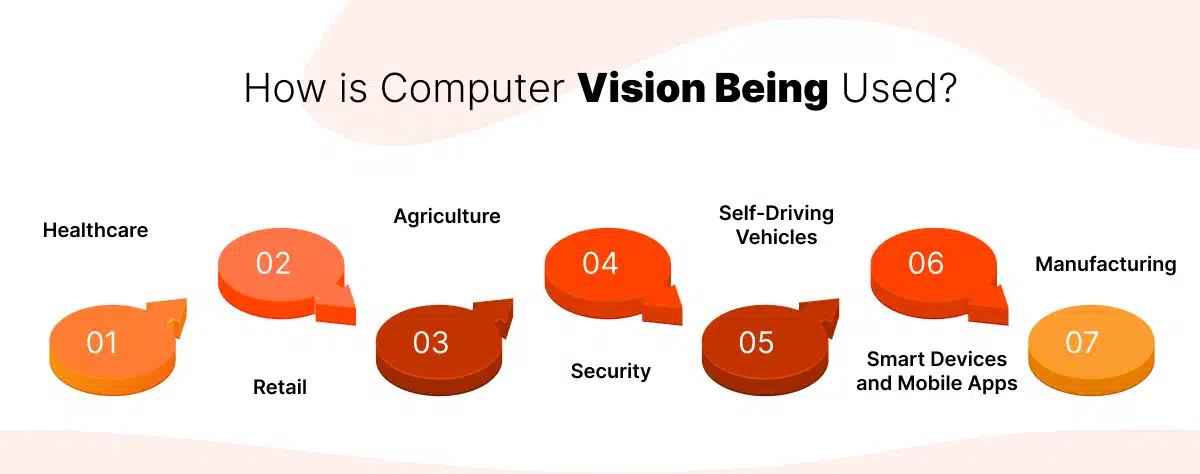
Farmers are using computer vision technology to take better care of crops and animals. Drones with cameras fly over fields and capture images. The system checks if plants are healthy, if there are any pests, or if any area needs water. This helps farmers act quickly and avoid large losses.
It also reduces the time and effort needed to check each plant or crop by hand. In animal farming, computer vision can track animal movement and spot any signs of sickness early.
Security systems use computer vision in many places, like homes, offices, and public areas. It helps with face recognition, which is used to allow or block access to buildings. It can also scan the license plates of vehicles entering parking areas.
In crowded places, computer vision can spot unusual actions or behavior and send alerts. This improves safety without needing someone to watch cameras all the time.
Self-driving cars depend heavily on computer vision. The technology helps the vehicle see the road, read traffic signs, detect lane markings, and avoid obstacles like people, animals, or other cars.
It allows the car to make decisions such as stopping, turning, or slowing down. Without computer vision, self-driving cars would not be able to move safely or understand what is happening around them.
Many phones and smart home devices use computer vision. In mobile apps, it helps scan documents, recognize handwriting or printed text, and detect faces in photos. For example, some apps can scan your ID card and turn it into a digital file.
At home, smart cameras can recognize if a person, pet, or unknown object is moving. This can improve home security and allow better control of home devices.
In factories and large manufacturing units, computer vision is used to check if products are made correctly. As items move along the production line, cameras take pictures, and the system checks for defects like scratches, cracks, or wrong sizes.
This helps fix problems early and ensures that only good-quality products are sent to customers. It also reduces the need for people to inspect each item by hand, which saves time and money.
Computer vision has slowly moved from being a complex research topic to something that is now being used in real-world situations across different industries. As of 2025, many companies, startups, and even small teams are exploring this technology to improve the way they work, serve customers, and solve problems.
The rapid growth and adoption of computer vision development are believed to be the reason why businesses are considering this technology. According to reports by ResearchAndMarkets, the global artificial intelligence in computer vision market is expected to grow from USD 23.42 billion in 2025 to USD 63.48 billion by 2030. This shows that more businesses are starting to see the value of this technology and are ready to invest in it. The expected growth rate of 22.1% every year also means there is strong interest and opportunity in this space.
The tools and platforms available for computer vision development in 2025 have become much easier to use. Many of them do not require deep coding knowledge. Open-source libraries, cloud-based tools, and free learning resources make it possible for both new and experienced developers to try building useful solutions. This makes the starting point easier than it was a few years ago.
If a business is looking to build something new or solve a task that involves images or video, then computer vision can be a good option to consider. It may not be the right fit for every situation, but the benefits and wide use cases make it worth exploring.
Developing computer vision software may sound technical, but the process can be easy to follow when broken down into small steps. The development process usually follows a clear path.
Before writing any code or collecting data, it is important to clearly understand what the system is supposed to do. The goal could be anything, from detecting objects, counting people, reading labels, or checking defects in products.
A clear goal helps avoid confusion later. It also helps in selecting the right model, dataset, and tools. When teams know exactly what result they want from the system, the development process becomes easier and more focused from the very beginning.
Computer vision software cannot work without data. The model needs many images or videos to learn from. These images should match real-world situations where the software will be used. For example, if the system is being built to detect traffic signs, the images should include various signs under different lighting and angles.
The next step is labeling the data. Each image must be marked to show what it contains. This process is called data annotation and is very important for training the model properly.
Once the data is ready, the team selects the tools and models that fit the task. Tools like OpenCV, TensorFlow, and PyTorch are commonly used today. Each tool has its own features, and the choice depends on what the project needs.
If the task is simple, developers may choose pre-trained models. These are ready-made models that can be adjusted using the new data. Choosing the right tools saves time and helps build more accurate software.
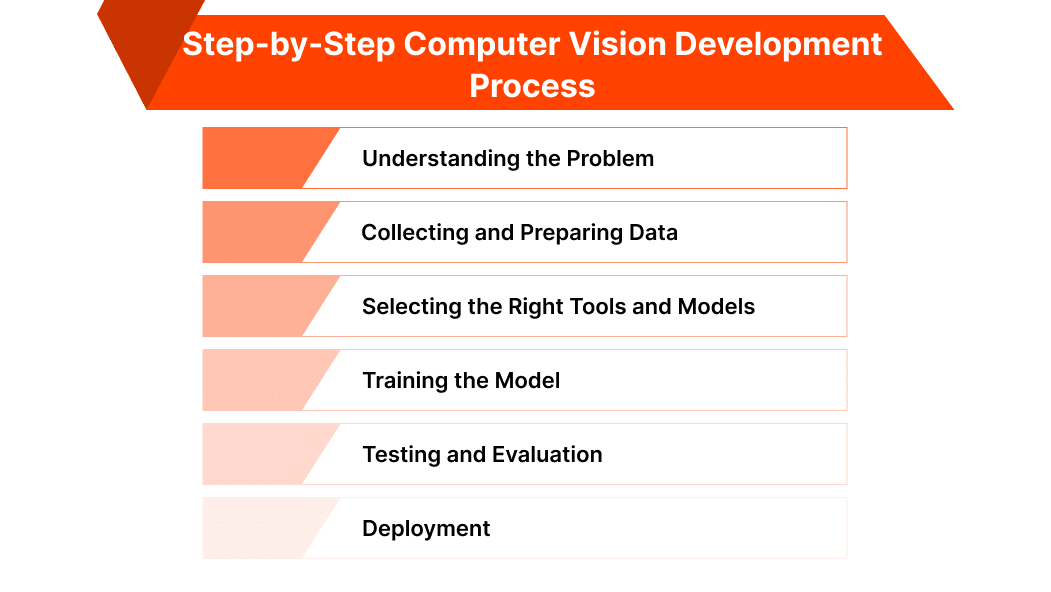
Training is the process by which the computer vision model learns from the labeled data. The model looks at thousands of examples and starts to understand patterns, like shapes, edges, or colors. During training, the computer adjusts its internal settings to improve accuracy.
This step may take hours or even days, depending on the size of the data and the power of the computer. A good training setup ensures the model can understand new images well later on.
After the training is complete, the model must be tested to see how well it performs. This is done using new images that were not part of the training data. If the model gives correct results, it means the training was successful.
But if it makes too many mistakes, it may need to be trained again with better or more varied data. Testing helps find weak areas and gives a clear idea about how the system will work in real situations.
Once the model works well during testing, it is ready for deployment. The model can be added to a mobile app, website, or smart camera. It will now start working in the background, taking in new images or videos and giving results based on what it has learned.
The system may need small changes over time, but once deployed, it starts solving the problem it was built for in a real-world setting.
To build computer vision software, the right set of hardware and software tools is required. The hardware supports the performance and speed needed for processing images, while the software provides the tools for building, training, and testing models. The table below shows the common hardware and software stack used in computer vision software development.
Category | Details |
Hardware | |
Basic Computer | A regular laptop or desktop for small projects |
GPU (Graphics Card) | Needed for training large models; helps speed up processing |
Cloud Hardware | Services like AWS, Google Cloud, or Azure offer rented GPUs and CPUs |
Internet Connection | Required for downloading tools, datasets, and using cloud services |
Software | |
Programming Language | Python is widely used for computer vision tasks |
Image Processing | OpenCV is commonly used for handling images and video streams |
Model Training | TensorFlow and PyTorch are popular frameworks for building and training models |
Data Labeling Tools | LabelImg and Roboflow help in annotating images for training |
Code Environment | Jupyter Notebook or Google Colab for writing and testing code step-by-step |
Cloud Platforms | AWS, Google Cloud, Azure for storage, training, and deployment |
The cost of developing a computer vision application can vary based on what the system needs to do, how complex it is, and the tools used. Some applications are simple, such as scanning a document or detecting objects in images. Others are more advanced, like tracking people in real-time or using video from multiple cameras. Each type comes with different cost needs.
A basic image classification tool may cost much less than a full object detection or real-time video analysis system. Applications that need high accuracy, real-time performance, or must work in unusual conditions may take more time, resources, and testing, which adds to the cost.
Here are the main areas where costs usually come in during development:
Computer vision models need a large number of images or videos to learn from. This data must be relevant and well-organized. In most cases, the images must also be labeled. For example, drawing boxes around objects or tagging them by type. If done manually, data labeling can take a lot of time and money, especially for large datasets.
This includes the cost of hiring computer vision developers or data scientists to build the software. If a company has an in-house team, the cost may be part of salaries. If the work is outsourced, it may be charged on an hourly or fixed-price basis. Development also includes selecting the right model, training it, testing it, and making sure it works correctly in real-world settings.
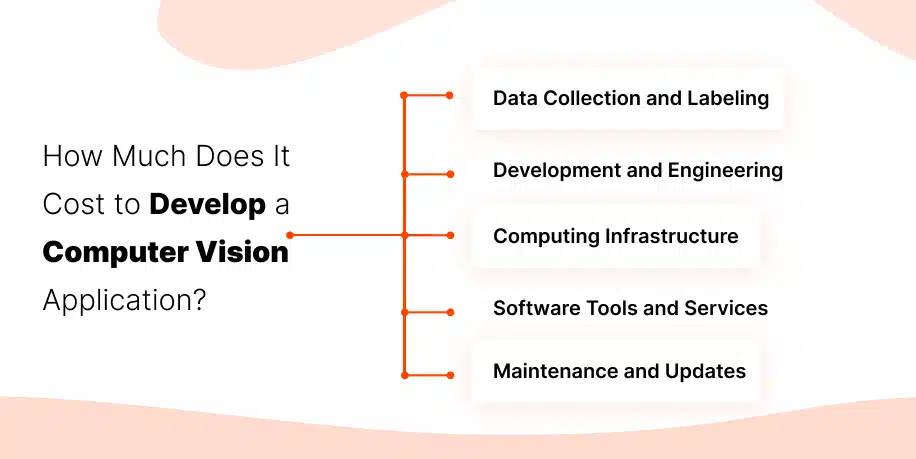
Training computer vision models requires strong computers. If a developer uses a regular laptop, it may not be fast enough. In most cases, high-performance machines with GPUs are needed. Some teams buy this hardware, while others use cloud platforms like AWS, Azure, or Google Cloud. Cloud costs can include storage, training time, and deployment charges.
Many tools used in computer vision are free and open-source, but some advanced services may charge based on usage. For example, platforms for labeling data, tracking versions of datasets, or deploying models may have paid plans. Even free tools may require time and skill to use properly.
After the application is built, it still needs care. Models may stop performing well if the data changes over time. This means they must be retrained, updated, or improved. Maintenance can also include bug fixes, adding new features, or improving speed.
These are rough estimates. The actual cost depends on how much work is done in-house, how much data is needed, and what tools are used.
As the use of computer vision continues to grow, many businesses are now looking for expert support to build custom solutions. Working with the right computer vision development company can make a big difference in cost, quality, and project success.
Here are three trusted names known for offering strong computer vision software development services:
Mtoag Technologies is a growing name among computer vision developers. They provide custom solutions for businesses across industries like retail, healthcare, and security. The company helps with everything from data labeling to final deployment.
Their pricing is flexible based on project scope. For small to mid-level applications, their development costs usually stay within budget for startups and growing businesses.
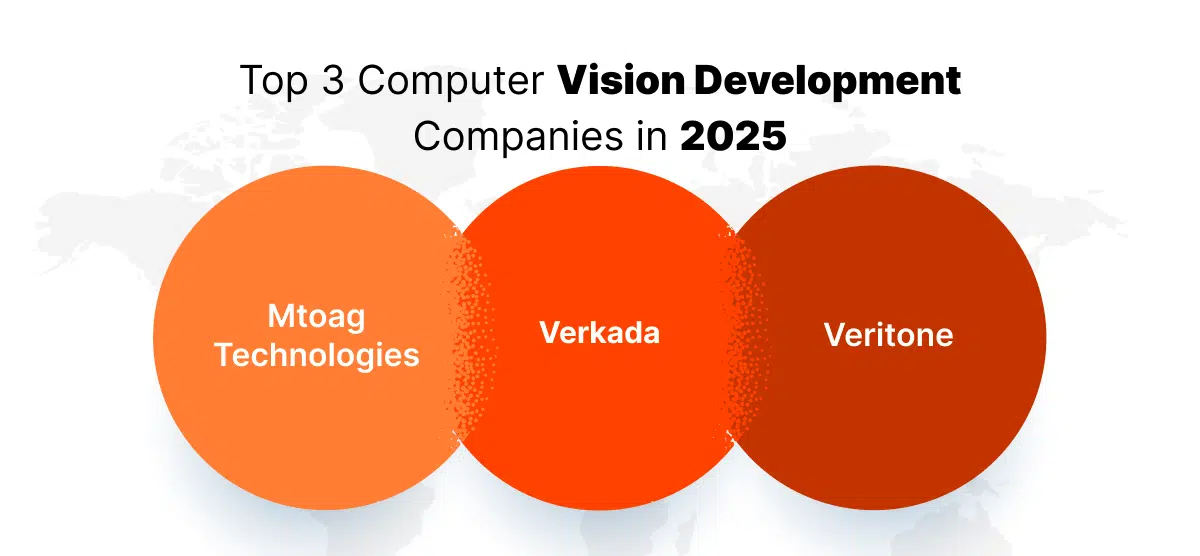
Verkada is known for providing smart video security and analytics. As one of the top computer vision consulting companies, they focus on making video data easy to understand and use.
Their systems often include features like face detection and license plate recognition. Though their services are more product-based, many companies choose Verkada for full software integration and reliable results.
Veritone offers advanced computer vision software development services for media, law enforcement, and corporate clients. They focus on AI-powered video and image analysis.
Their projects may involve higher costs, especially for real-time or large-scale systems, but they bring strong tools and trained teams.
Computer vision development is now easier to start than ever before. With the right tools, clear goals, and good data, anyone can build useful image and video-based applications.
This guide explained each step, from understanding the problem to deploying a working system. It also covered costs, tools, and the support of trusted computer vision development companies.
As more industries use this technology, knowing how computer vision works can help solve real problems in smarter ways. Starting small and learning by doing is the best way to explore its full potential in 2025 and beyond.
Computer vision development means creating software that helps computers understand images and videos. It includes building systems that can detect, read, or track objects in pictures. This process involves collecting data, training models, and testing the software to make sure it works properly.
The 3 R’s of computer vision are Recognize, Read, and React.
Computer vision is a part of both artificial intelligence (AI) and machine learning (ML). AI is the technology that powers it to make machines act smart, and ML is how they learn from data. Computer vision uses both to help computers understand what they see.
Some simple examples include face detection in mobile phones, barcode scanners in stores, and traffic cameras reading license plates. It is also used in hospitals to read X-rays and in factories to find broken or missing parts.
The two common types are:
Computer vision is about helping machines understand what they see, while visual computing is a wider area. It includes not just understanding images but also creating them, editing them, or turning them into something else, like 3D models or animations.
No, computer vision is not a dying field. In fact, more businesses are using it today than ever before. It is still growing and being used in many new areas like farming, healthcare, retail, and transport.
Yes, computer vision is still in strong demand. Many companies need it to improve their systems, speed up work, and reduce human errors. As tools become easier to use, more people are building and using computer vision software.


Web Development
Shopify and GoDaddy are two of the most prominent names fueling the success of online businesses. As we all know, the prominence of Shopify as an e-commerce giant, GoDaddy, wasn’t always synonymous with e-commerce. Initially started as a domain name and website hosting company, GoDaddy has evolved and has added e-commerce functionality to its platform, […]

Web Development
Wix is undoubtedly one of the best website builders out here today. Although this no-code website builder is greatly appreciated for its ease of use and drag-and-drop editor, some flaws in the platform still insist people to search for the best Wix alternatives. So, if you’re using or about to choose Wix for your next […]

Web Development
Digitalization has led to countless innovations and technological advancements in literally every industry. Even the field service industry is not left untouched. With the emergence of field service software like ServiceTitan, companies have started transitioning from paper-based systems to automated ones to save time and boost productivity. But is ServiceTitan the one you have […]
Successful Projects
Years in Business
Happy Customers
We have been working with Mtoag Technologies for the past 5 years. They have been a very responsible team from the beginning. They are quick at responding, available whenever we need, and are extremely supportive when there’s a high-priority fix. All-inclusive, IAD can be your best bet for app development.